Contact Us 

Due to high volume of orders and interactions, it may take longer for you to respond. We are working diligently during this critical time and we appreciate your patience.

We're happy to help!

Questions, concerns...? We want to help. Send us a message below

Thanks for contacting us. We'll get back to you as soon as possible.

FAQs

Have a quick question?
Check our FAQs for a quick answer

Office

4030 Wake Forest Road STE 349.
Raleigh, NC 27609-0010
United States

Email us

Call us

Phone: +1(888)-550-1319
MON to FRI: 9:00AM - 6:00PM EST

Facebook platform is constantly updated with products, special offers, and many users sharing their questions and suggestions.

Plus, we have an official YouTube channel with detailed product demos. Subscribe and enjoy a completely seamless experience!

Frequently asked questions

Have questions? We're here to help

  • Product

  • Order & Shipping

  • Warranty & Returns

  • Safety & Usage Tips

  • Payment & Account

  • Wi‑Fi Setup

What makes GiveBest heaters different from other brands?


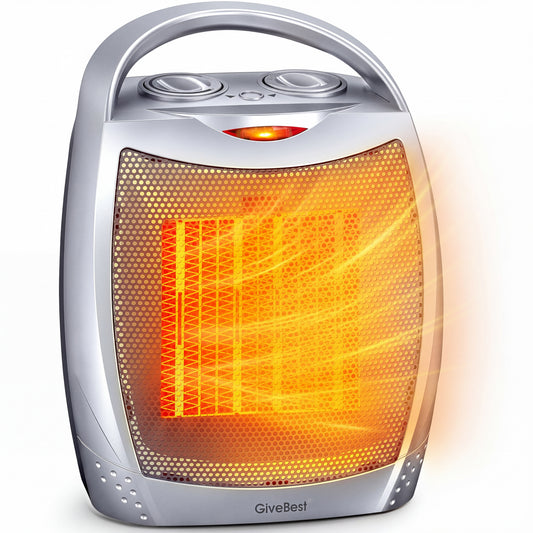
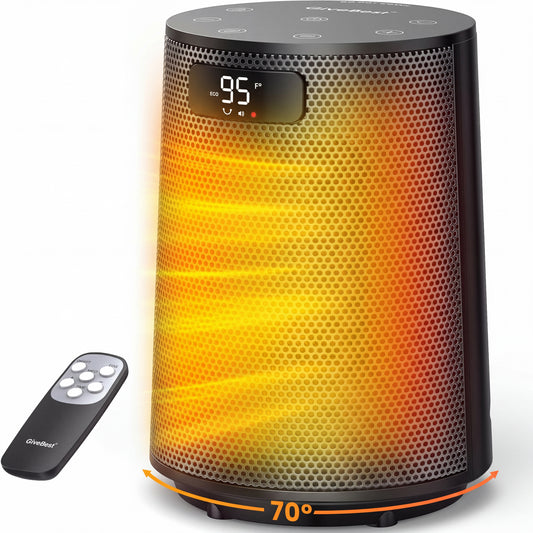
GiveBest heaters use advanced PTC ceramic heating technology for fast, even warmth – you’ll feel heat in about 3 seconds. They offer two power settings (1500W / 750W) plus a fan-only mode for year‑round use. Safety features include overheat protection, a tip‑over switch, and V0‑grade flame‑retardant materials.

Where can I use my GiveBest heater?

Our compact, portable heaters are great for bedrooms, home offices, dorms, and RVs. For larger living rooms or whole‑house heating, they work perfectly as a supplemental heat source to help lower your main heating bill.

Which heater size / wattage do I need for my room?

A good rule of thumb is 10 watts per square foot. For example, a 1500W GiveBest heater can comfortably warm about 150 sq. ft. (≈14 m²). Actual performance depends on ceiling height, insulation, and outside temperature.

I bought my GiveBest heater on Amazon / eBay / Walmart – does the same warranty apply?

Our return and warranty policy applies only to products purchased directly from GiveBest’s official website (givebest.com). For purchases made on other marketplaces, please contact that seller’s customer service team.

What's the difference between a standard and a smart / Wi‑Fi GiveBest heater?

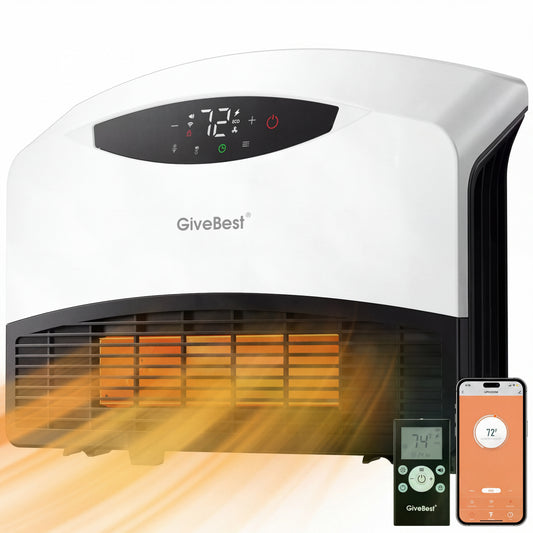
Smart models (e.g., PWM320EW) work with the Smart Life app, letting you control temperature, set schedules, and turn the heater on/off from anywhere. They also work with Amazon Alexa and Google Home for voice control.

How long does it take to process and ship my order?

Orders are usually processed within 1‑2 business days. Standard shipping within the US takes about 3‑7 business days. International orders can take 10‑20 business days. You’ll see estimated delivery times at checkout.

How do I track my order?

Once your order ships, you'll receive a confirmation email with a tracking number and a link to track it. You can also log into your Shopify account and go to "My Orders" for updates.

Do you offer free shipping?

Yes, we offer free standard shipping on all orders within the United States. Otherwise, shipping costs will be calculated at checkout based on your shipping address and the shipping method you choose.

Can I change or cancel my order after it's placed?

If your order is still in "Processing" or "Confirmed" status, contact us right away at support@givebest.com. We'll do our best to help. Once the order has been marked "Shipped", we cannot make changes or cancel it.

What is your warranty policy?

GiveBest offers a 1‑year limited warranty on all products purchased directly from our website. If your heater has any manufacturer defect within one year of purchase, we'll repair or replace it for free. Damage from misuse, accidents, or normal wear and tear is not covered.

How do I file a warranty claim?

Just email us at support@givebest.com with your order number, the model number, and clear photos/videos showing the issue. Never try to open the motor housing yourself – that will void the warranty and may create a safety hazard.

What is your 30‑day return policy?

If you're not completely satisfied, you can return your GiveBest heater within 30 days of delivery. The item must be in new, unused condition with all original packaging. Return shipping is paid by the buyer, and original shipping fees are non‑refundable.

My heater arrived damaged / defective – who should I contact?

Please contact GiveBest customer support directly at support@givebest.com. Do not return it to a third‑party store. We'll take care of you right away.

Can I plug my GiveBest heater into a power strip or extension cord?

Absolutely not. Space heaters are high‑power appliances (up to 1500W). Using a power strip or extension cord creates a serious fire hazard. Always plug your heater directly into a wall outlet.

Is it safe to leave the heater on while I sleep or leave the house?

While GiveBest heaters have multiple safety features, we strongly recommend never leaving them unattended – that includes while you sleep or when you're away. Use the heater to warm up a room, then turn it off before going to bed or leaving.

Can I use a GiveBest heater in a bathroom?

Standard GiveBest heaters are not safe for bathrooms, laundry rooms, or other damp areas. However, our wall‑mounted models (like the PWM320EW) are designed for bathrooms and include an ALCI safety plug for wet‑location use.

What is the “3‑foot rule” for space heaters?

Keep your GiveBest heater at least 3 feet (0.9 meters) away from anything flammable – curtains, bedding, furniture, paper, rugs, etc. Also, never place it on an unstable surface or cover the air vents.

What payment methods do you accept?

We accept Visa, Mastercard, American Express, Discover, and PayPal. All payments are processed securely through Shopify.

Is it safe to enter my credit card info on your website?

Yes. Our site is protected by SSL encryption, so your personal and payment information is always kept private and secure.

How do I connect my GiveBest smart heater to Wi‑Fi?

Follow these steps:

  1. Download the Smart Life or Tuya Smart app.
  2. Plug in the heater and press & hold the Wi‑Fi button until the indicator light flashes quickly.
  3. Open the app and tap "Add Device" – it should automatically find the heater.
  4. Select your 2.4GHz Wi‑Fi network (most smart devices don't support 5GHz) and enter the password.

The app won't connect to my heater – what should I do?

Try these quick fixes:

  • Make sure the heater is in pairing mode (light flashing).
  • Confirm your phone is on a 2.4GHz network, not 5GHz.
  • Restart your heater and router, then try again.
    If it still doesn't work, contact us at support@givebest.com – we're happy to help.